
Admin guide
For the people who run a ParallelPath server.
The server-admin portal is separate
Server administration lives at /admin and is completely separate from family accounts:
- Different account type. Admin accounts can't sign in to the family portal, and family accounts can't sign in to the admin portal.
- Different session cookie,
SameSite=Strict, signed out after 20 minutes idle / 4 hours maximum. - Two-step verification is always required for admins.
- Optional IP allow-list (set during installation) enforced by nginx before requests reach the app.
- Admins cannot read family content or people's personal details. No admin page decrypts messages, files, journals, names or anything else a family stores. People's usernames and emails are masked; what people do appears in the audit trail only as "family member"/"person" with no record, IP or reason.
- Admins can't take over accounts. Two-step resets and reset links handed to an admin only work for people who switched on administrator-assisted recovery themselves; otherwise reset links are emailed straight to the person. People are notified of every admin action on their account.
- Every admin action is in the tamper-evident audit trail, and most require a written reason.
Create additional admins on the server:
sudo ppctl create-admin
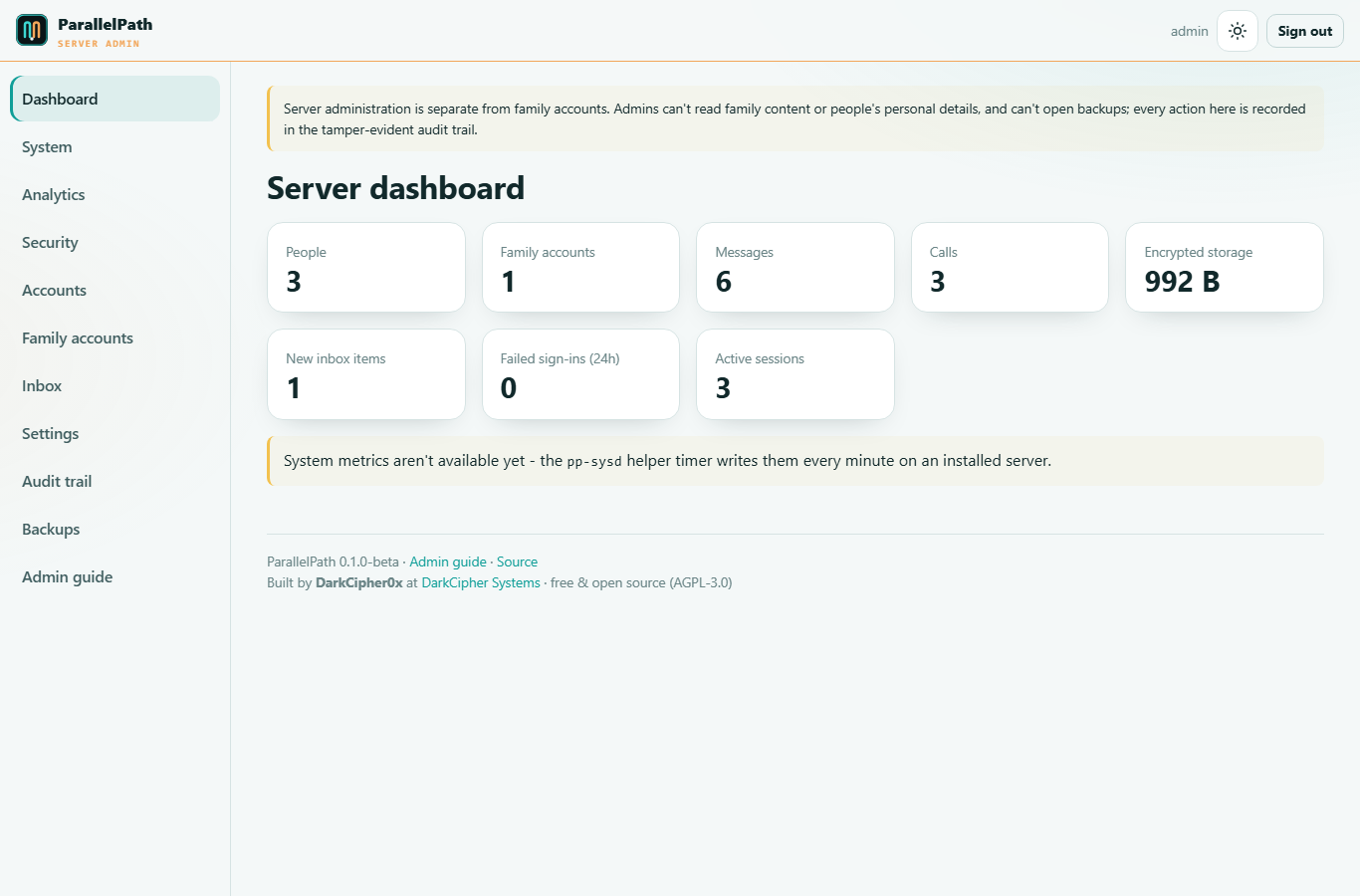
Dashboard
Counts of people, family accounts, messages, calls and encrypted storage; new inbox items; failed sign-ins in the last 24 hours; active sessions; and CPU, memory and disk at a glance.
System
Host details, uptime, CPU (with load), memory and swap, disk, the encrypted vault, network throughput, days left on the TLS certificate, the state of every service, pending updates (and security updates), whether a reboot is required, and a 24-hour CPU/memory chart.
Metrics come from a small root helper (pp-sysd) that runs every minute. The web app itself has no root access.
Analytics
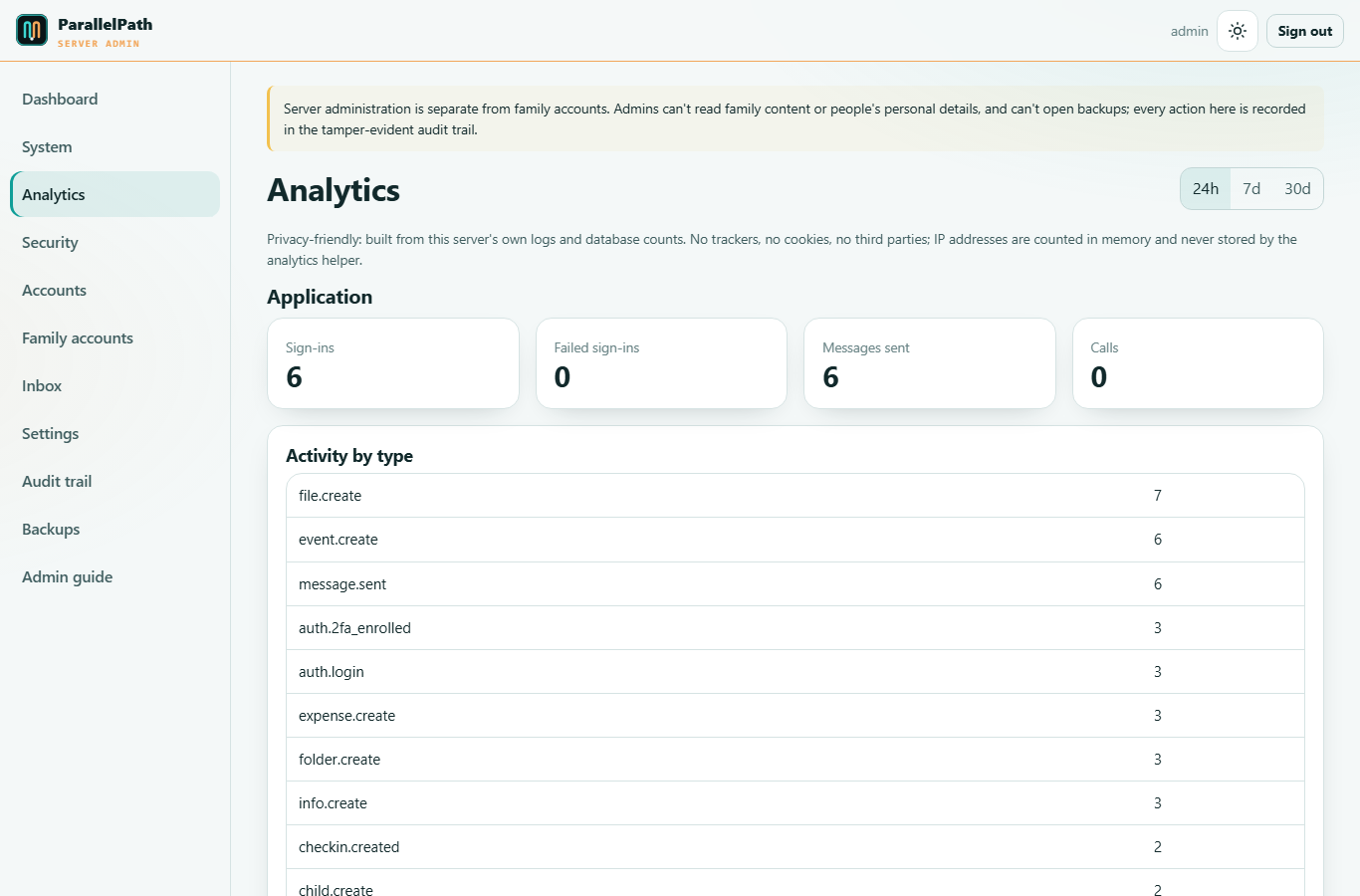
Privacy-friendly statistics for the last 24 hours, 7 days or 30 days:
- Application: sign-ins, failed sign-ins, messages sent, calls, and activity by type.
- Web traffic (from this server's own nginx log): requests, unique visitors, bot requests, data served, status codes, browsers, operating systems and a requests-over-time chart.
No trackers, cookies or third parties are used. IP addresses are counted in memory and never written out by the analytics helper.
Security
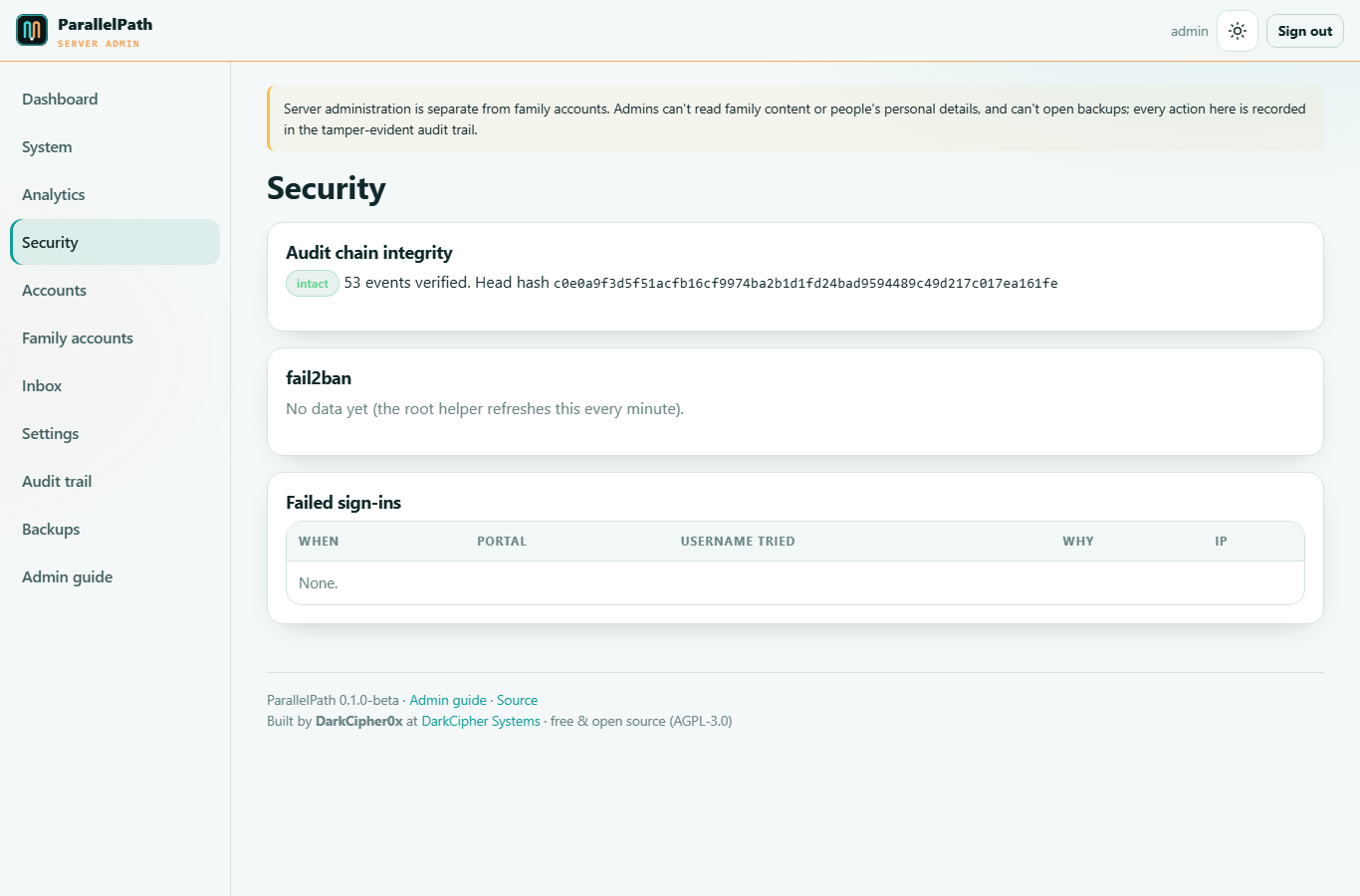
- Audit chain integrity: verifies every audit event's hash. If anything was altered or deleted, it tells you the first broken event.
- fail2ban: each jail (
parallelpath, the stricterparallelpath-admin,nginx-limit-req,sshd) with failing/banned counts and the banned IPs. Unban with one click, or ban an address with a reason. Requests are carried out by the root helper within a minute; the server's own addresses, private addresses and the admin allow-list can never be banned. - Recent fail2ban events and a read-only view of ufw firewall rules.
- Failed sign-ins with portal, username tried, reason and IP.
Accounts
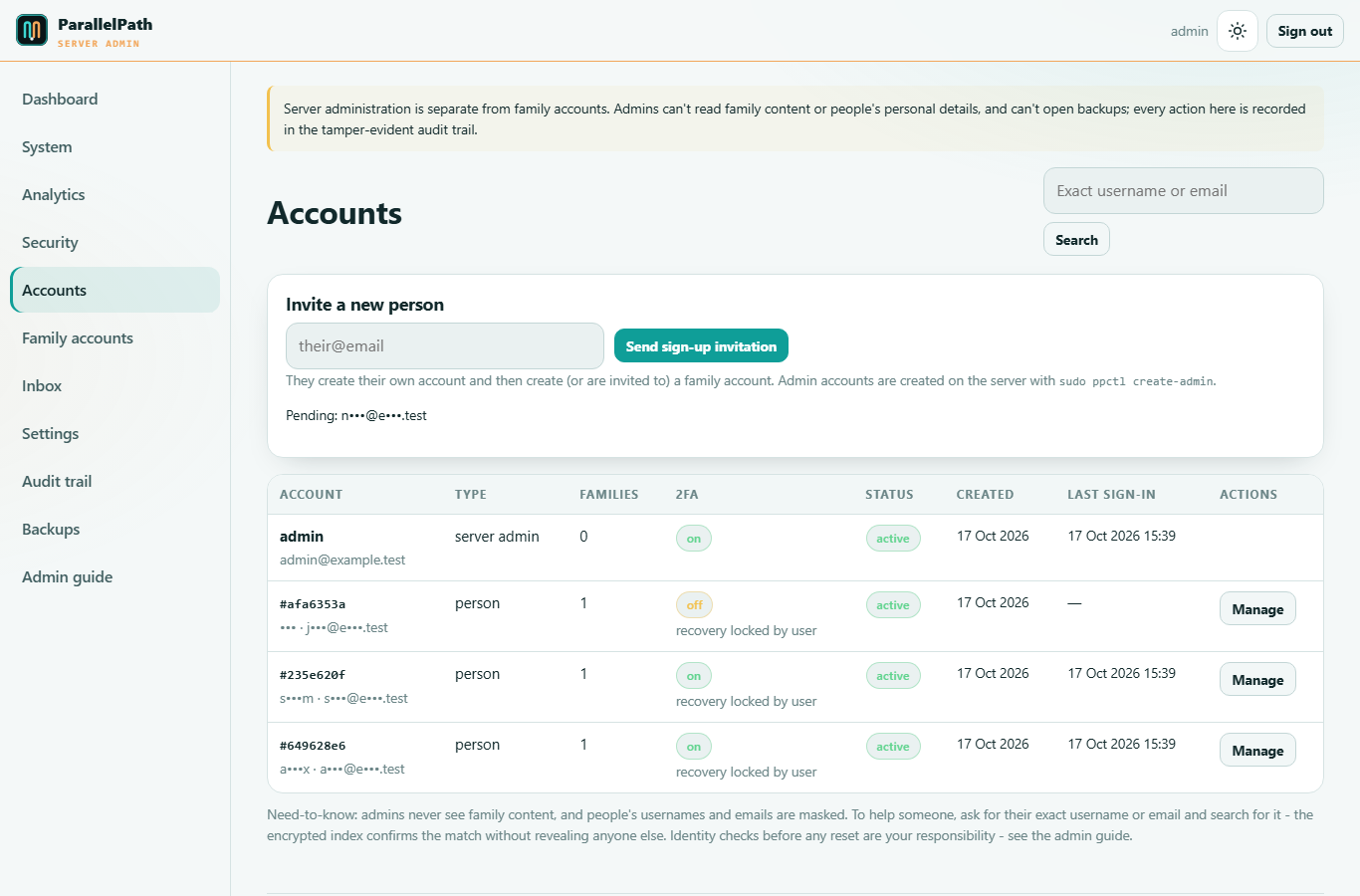
- Invite a new person - they create their own account, then create or join a family.
- Need-to-know list: each person appears as an account number (
#1a2b3c4d) with a masked username/email (j•••@e•••.org), plus type, number of families, 2FA, whether they allow admin recovery, status and dates. Usernames and emails are encrypted in the database. - Finding someone you're helping: ask for their exact username or email and search for it. The encrypted index confirms the match ("matches your search") without revealing anyone else.
- Manage (always needs a reason, which is audited and shown to the person):
- Disable - signs them out everywhere and blocks sign-in.
- Enable / unlock - after too many failed sign-ins (accounts lock for 15 minutes after 8 failures).
- Reset two-step verification - only if the person allowed administrator-assisted recovery (Account > Security). Otherwise they use a recovery code.
- Password reset - if email is configured, the one-time link (24 h) is emailed directly to the person and you never see it. Without email, you only get a link to pass on if the person allowed admin-assisted recovery.
Verify identity before any reset. Confirm it's really them (e.g. a call to a known number). The person sees every admin action in their account, with your reason.
Family accounts
Metadata only: ID, creation date, member count and legal-hold status. Family names and all content are encrypted with the family's own key and never shown.
Legal hold stops shared documents from being moved to the recycle bin (e.g. while proceedings are ongoing). Parents are notified when a hold is switched on or off.
Inbox
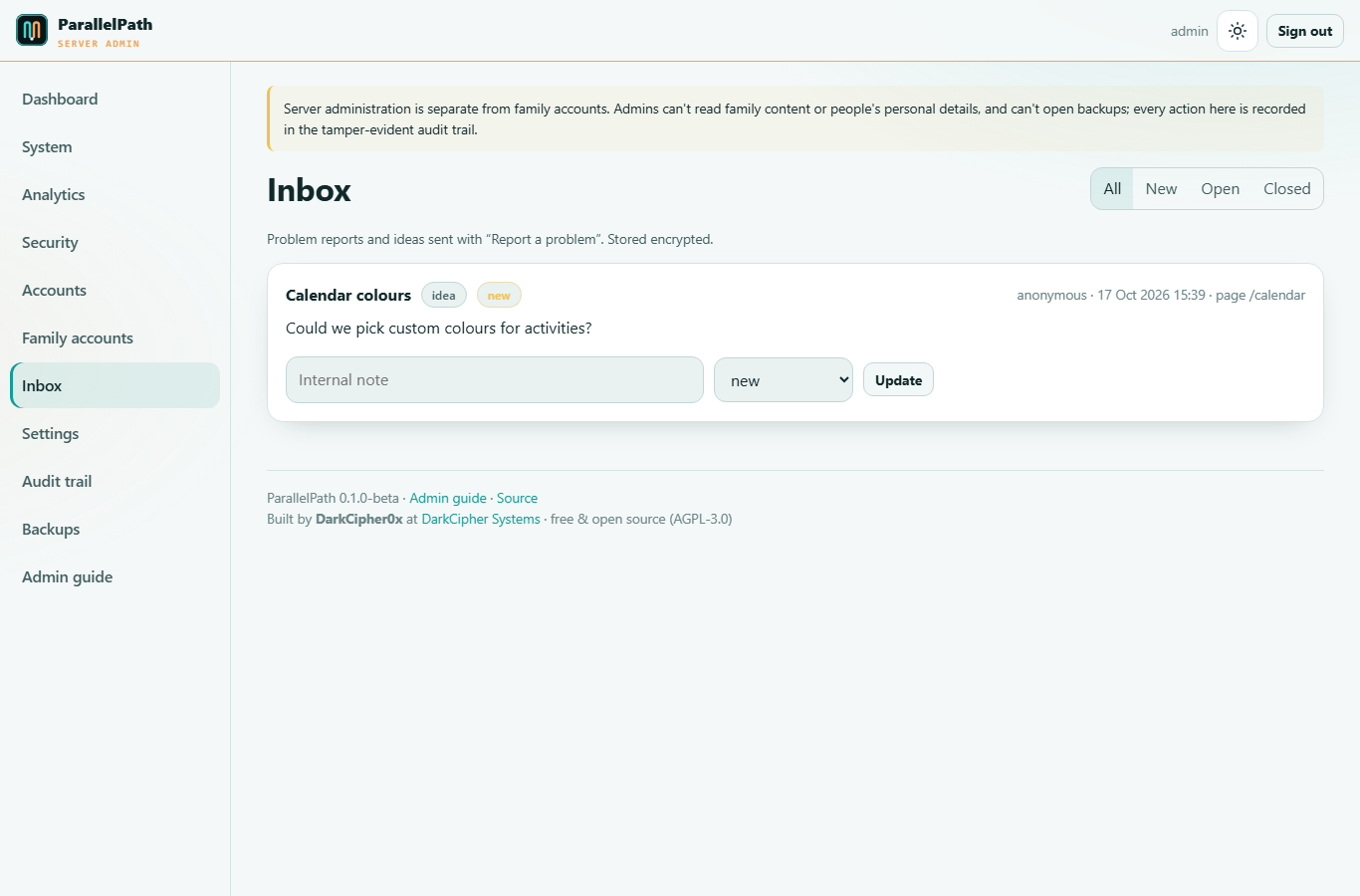
Problem reports and ideas sent via Report a problem, stored encrypted. Reports are anonymous unless the person ticked "include my username so the administrator can reply". Set them to new, open or closed and keep internal notes.
Settings
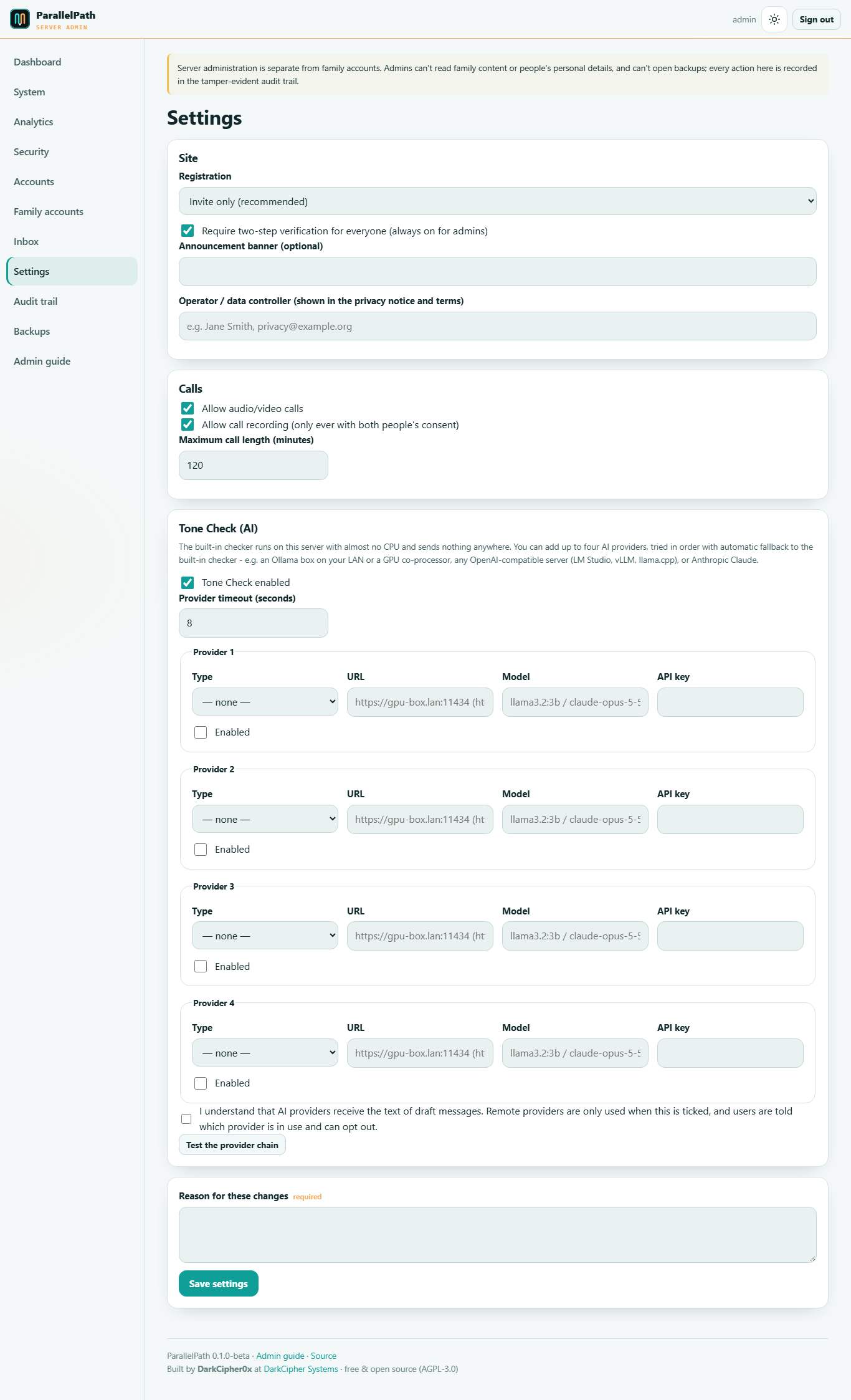
- Registration: invite-only (recommended) or open sign-up via an emailed link.
- Require two-step verification for everyone (on by default; always on for admins).
- Announcement banner shown on every family's dashboard.
- Calls: on/off, allow recording (still needs both people's consent), maximum length.
- Tone Check: on/off, timeout, and up to four AI providers tried in order with automatic fallback to the built-in checker:
| Provider | URL example | Notes |
|---|---|---|
| Ollama | https://gpu-box.lan:11434 |
Any Ollama server - this host, a LAN GPU box or a remote co-processor. Model e.g. llama3.2:3b, qwen2.5:3b. |
| OpenAI-compatible | https://gpu-box.lan:1234/v1 |
LM Studio, vLLM, llama.cpp server, LocalAI, etc. |
Encrypted in transit: remote AI servers must use https://; plain http:// is only accepted for localhost. To put a LAN Ollama behind TLS, run a small reverse proxy on that machine (e.g. Caddy: caddy reverse-proxy --from gpu-box.lan:11434 --to localhost:11435 with Ollama on 11435), or use an SSH tunnel to this server and point ParallelPath at http://localhost:PORT.
| Anthropic Claude | (no URL) | Needs an API key. Model e.g. claude-opus-5-5 (default) or claude-haiku-5-5 for lower cost. |
API keys are stored encrypted. Remote providers are only used once you tick the privacy acknowledgement - they receive the text of draft messages. Users see which provider is in use and can turn Tone Check off. Use Test the provider chain to check your setup.
Every settings change needs a reason and is audited.
Audit trail
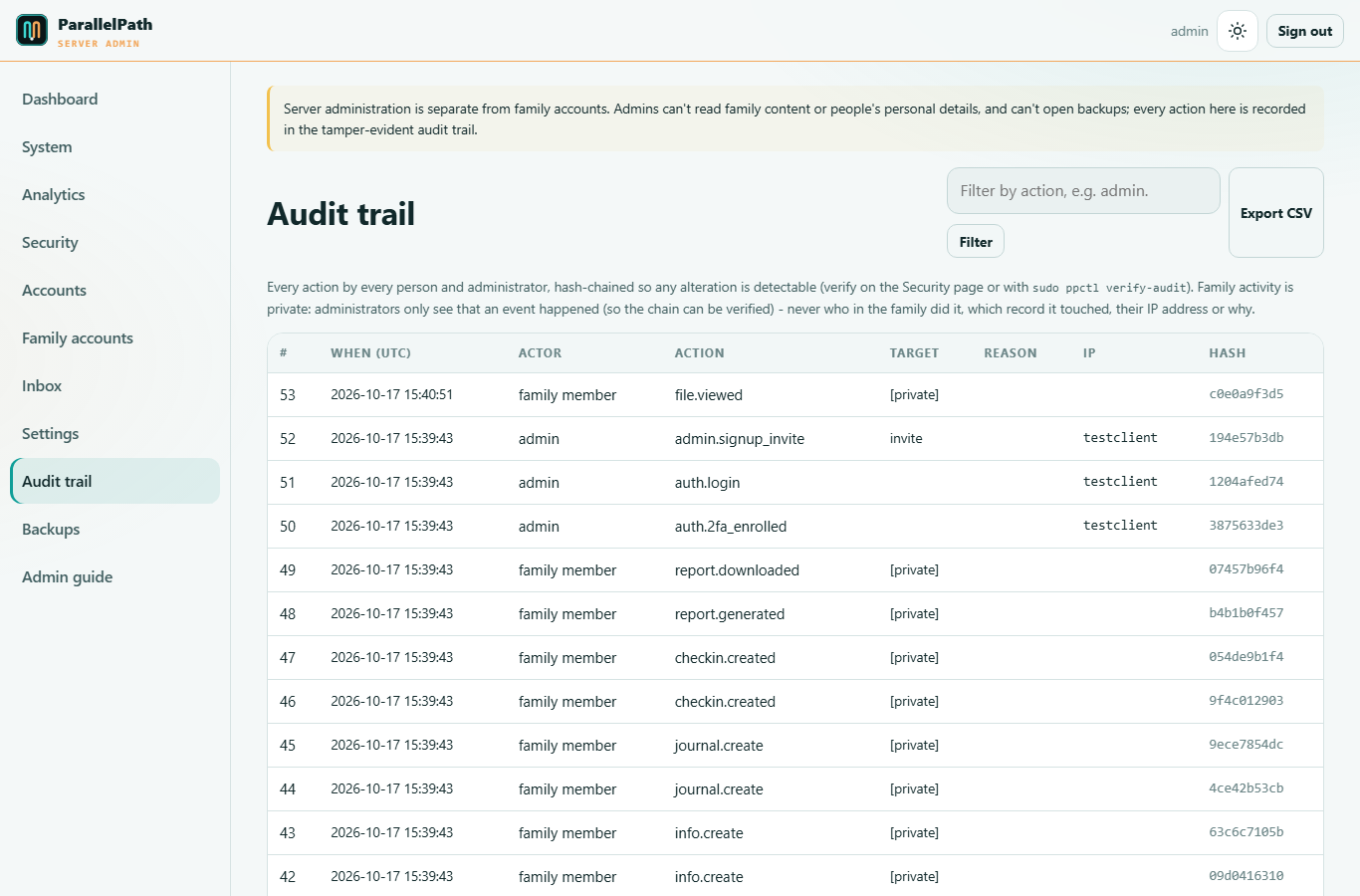
Every event on the server is in the chain, and each event stores the hash of the previous one, so any alteration is detectable. Admin and system actions are shown in full; everything people do is redacted to "family member"/"person" plus the type of action - no names, records, IP addresses or reasons. Filter, page back and export to CSV (same redaction; hashes kept so the chain can be verified).
Backups
Backups never contain readable data. Family content and personal details are already encrypted inside the database and file store, and each backup archive is encrypted again (AES-256-GCM, chunked and authenticated) with the backup key. Administrators can create, schedule, copy, verify and download backups - none of which reveals anything without the keys from the passphrase-protected recovery bundle.
- Schedule: daily or weekly at a chosen time, or off; how many to keep.
- Extra destinations: a folder (e.g. a mounted NAS or USB disk) and/or another server over SFTP. The page shows the dedicated SSH public key to add to the backup server's
authorized_keys. Each backup's copy results are listed. - Back up now, Verify latest backup (authenticates every encrypted block - detects corruption or tampering without decrypting to disk) and Prepare latest for download (then download it; downloads are logged).
- Stored in
/var/backups/parallelpath; the oldest are removed beyond your retention count (also at the folder destination). - Changes need a reason. The root helper validates every setting (e.g. it refuses system folders and symlinked paths) before applying it.
Restore (replaces all current data):
sudo ppctl restore /var/backups/parallelpath/parallelpath-YYYYMMDD-HHMMSS.ppbak
sudo ppctl verify-audit
Restoring on a new server: install ParallelPath, open your recovery bundle at /decrypt-export with your recovery passphrase, then put back the keys before restoring:
printf '%s' 'MASTER_KEY' | sudo systemd-creds encrypt --name=master_key - /etc/parallelpath/creds/master_key.cred
printf '%s' 'BACKUP_KEY' | sudo systemd-creds encrypt --name=backup_key - /etc/parallelpath/creds/backup_key.cred
sudo systemctl restart parallelpath
sudo ppctl restore /path/to/backup.ppbak
The ppctl command
| Command | What it does |
|---|---|
sudo ppctl status |
Service status and counts |
sudo ppctl logs [N] |
Last N application log lines |
sudo ppctl create-admin |
Create a server-admin account |
sudo ppctl reset-admin-2fa USER |
Clear an admin's 2FA (if they lost their phone) |
sudo ppctl verify-audit |
Verify the whole audit chain |
sudo ppctl backup / restore FILE |
Encrypted backup / restore |
sudo ppctl rotate-master-key |
Re-wrap every key with a new master key (update your recovery copy afterwards) |
sudo ppctl tls |
Re-run the HTTPS step |
sudo ppctl upgrade [DIR] |
Upgrade from a newer source folder |
sudo ppctl migrate |
Apply database schema changes |
Routine care
- Weekly: glance at the dashboard and Security page; check backups exist and copy them off-site.
- Monthly: apply updates (
sudo apt upgrade) and reboot if the System page says so; runsudo ppctl verify-audit. - Every year or after staff changes: consider
sudo ppctl rotate-master-keyand update the offline recovery copy.
Handling requests from courts or authorities
ParallelPath is designed so that parents generate the records they need (Reports) and anyone can check them at /verify. Administrators can't read family content through the portal. If you receive a legal request, take legal advice; record what you did in the inbox notes. See the Privacy notice for your obligations as the operator.