
Accessibility
ParallelPath aims to meet WCAG 2.2 level AA so that every parent can use it, whatever their abilities or device.
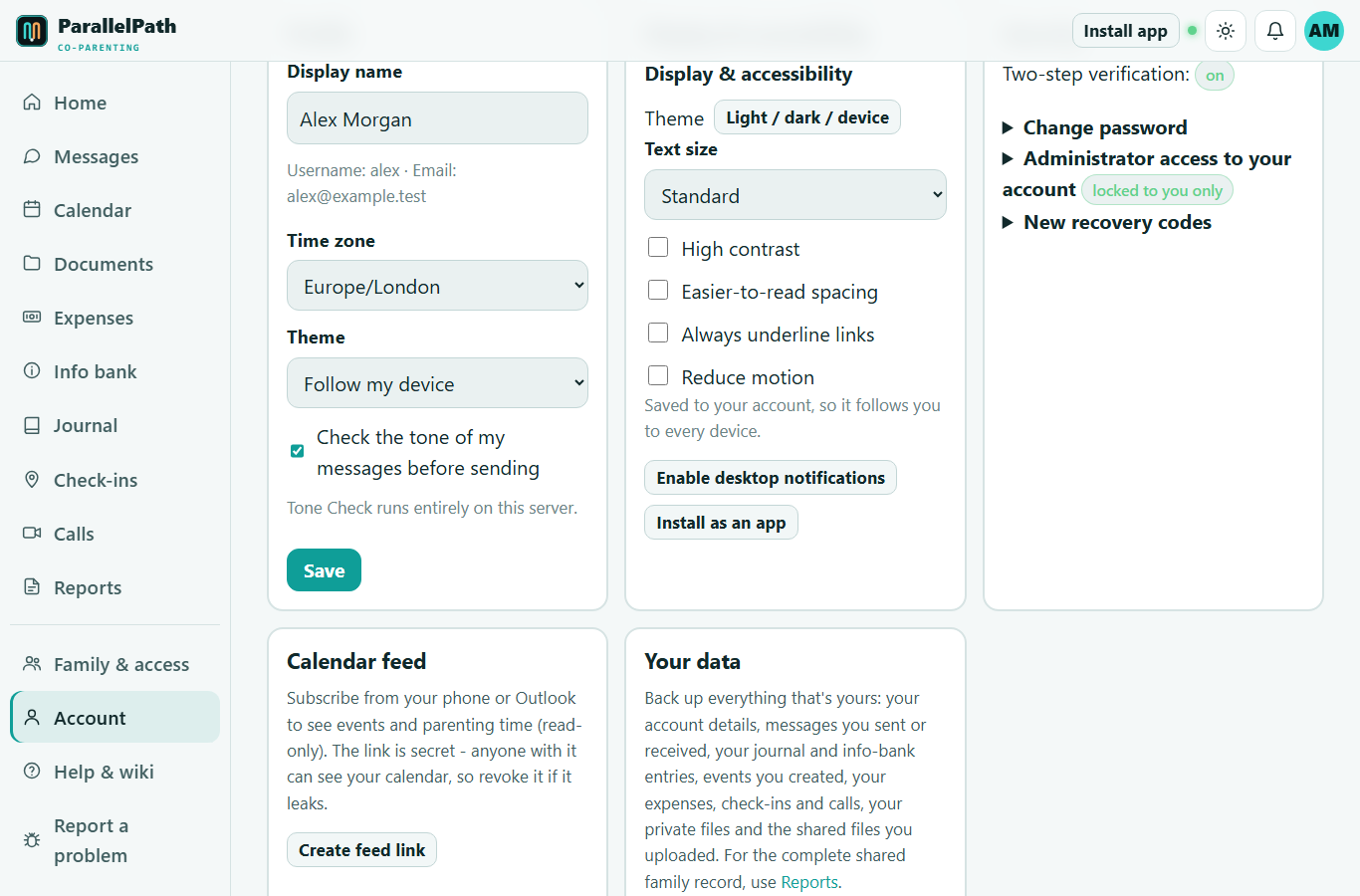
Display & accessibility options
Signed in: Account > Display & accessibility (saved to your account, so it follows you to every device). Signed out: the round button in the bottom-right corner of public pages (saved on that device).
 Larger text and high-contrast mode turned on.
| Option | What it does |
|---|---|
| Theme | Light, dark, or follow your device. One-click switch with the sun icon at the top. |
| Text size | Standard, Large (112%), Larger (125%), Largest (140%). Everything scales, including buttons. |
| High contrast | Pure black/white backgrounds, brighter text and accent colours, thicker borders. Works with both themes. |
| Easier-to-read spacing | Wider letter, word and line spacing and shorter line lengths (helpful for dyslexia). |
| Always underline links | Links are identifiable without relying on colour. |
| Reduce motion | Turns off animations and transitions. Your device's "reduce motion" setting is also respected automatically. |
Built in for everyone
- Keyboard: every feature works without a mouse. A Skip to content link appears on the first Tab press, focus is always clearly outlined, and dialogs close with Esc.
- The document manager supports arrow keys, Home/End, Enter (open), Space (select), Ctrl+A, F2 (rename), Delete, and Shift+F10 / the context-menu key for the action menu.
- Screen readers: semantic headings, landmarks and labels; live announcements for new messages, notifications, Tone Check results, incoming calls and upload completion; read receipts and calendar days have text descriptions (not just colours).
- Colour is never the only signal: parenting time is also shown by name, statuses by words, tone by a label and score.
- Touch targets are at least 42-44 px; layouts adapt to phones, tablets and large screens; pinch-zoom is never disabled.
- Windows High Contrast / forced colours mode is supported.
- Plain language throughout, with help text next to anything important.
- Calls have large, labelled controls (mute, camera, end call) that announce their state.
Known limitations
- Live captions for calls are not available yet.
- Some third-party file previews (e.g. PDFs) depend on your browser's own accessibility support.
Feedback
If anything is hard to use, please tell us via Report a problem in the menu. Accessibility issues are treated as bugs.